Turn the table you already have into a timeline.
Chronolane reads the tasks and dates on your sheet and draws a Gantt-style timeline right next to them — in Excel, as cells and shapes, with nothing to export.
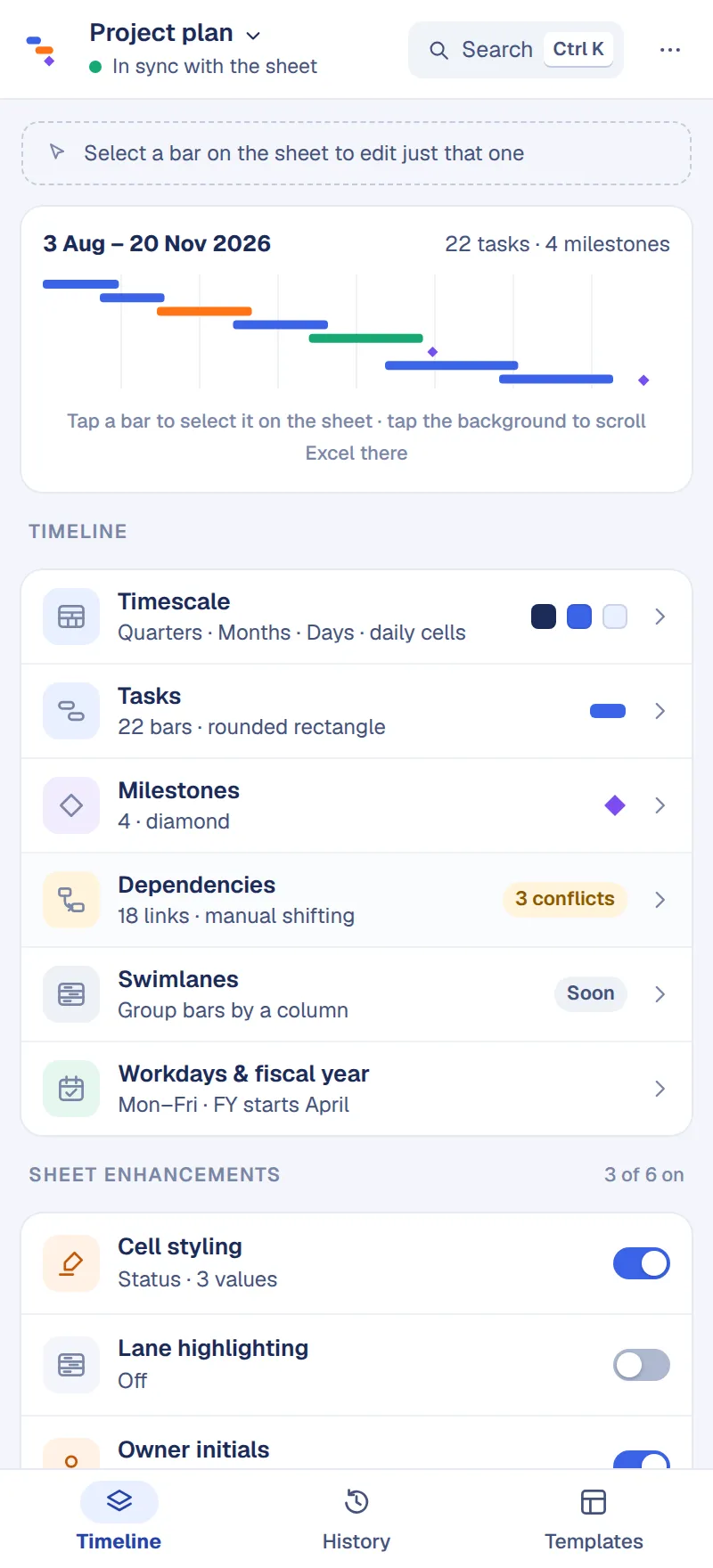
Three steps, no new tool to learn
It’s still Excel. Chronolane adds the timeline and a pane to manage it.
Open your table
Any sheet with a task column and two date columns. Chronolane detects them — you confirm or change the mapping.
Create the timeline
One click draws date headers and bars beside your rows. Milestones, dependencies and progress come from your columns.
Edit anywhere
Change a date in the table or drag the bar — both stay in sync. Style, timescale and templates live in the pane.
Everything a project timeline needs
Built for the way people actually plan in spreadsheets.
A timescale you can read
Three header tiers — quarters, months, weeks or days — drawn as real cells, so the timeline scrolls and prints like the rest of your sheet.
Dependencies that behave
Link tasks from any column. Chronolane draws the connectors, flags conflicts and can shift successors for you — or leave them and let you decide.
Templates that are real sheets
Seven starting points with sample data, most with a timeline already drawn. Each one is added as a new sheet; nothing else in the workbook changes.
History you can scrub
Every apply is one step. Snapshots are taken before anything big; keep the ones that matter and restore any of them in a click.
Sheet enhancements
Colour cells by status, add icons by priority, show owner initials, tint lanes, outline and indent — from the same pane.
Edit from either side
Click a bar in Excel and a card appears to restyle just that one. Drag a bar and the dates update in the table — or ask first, if you prefer.
Conflicts, explained — not just flagged
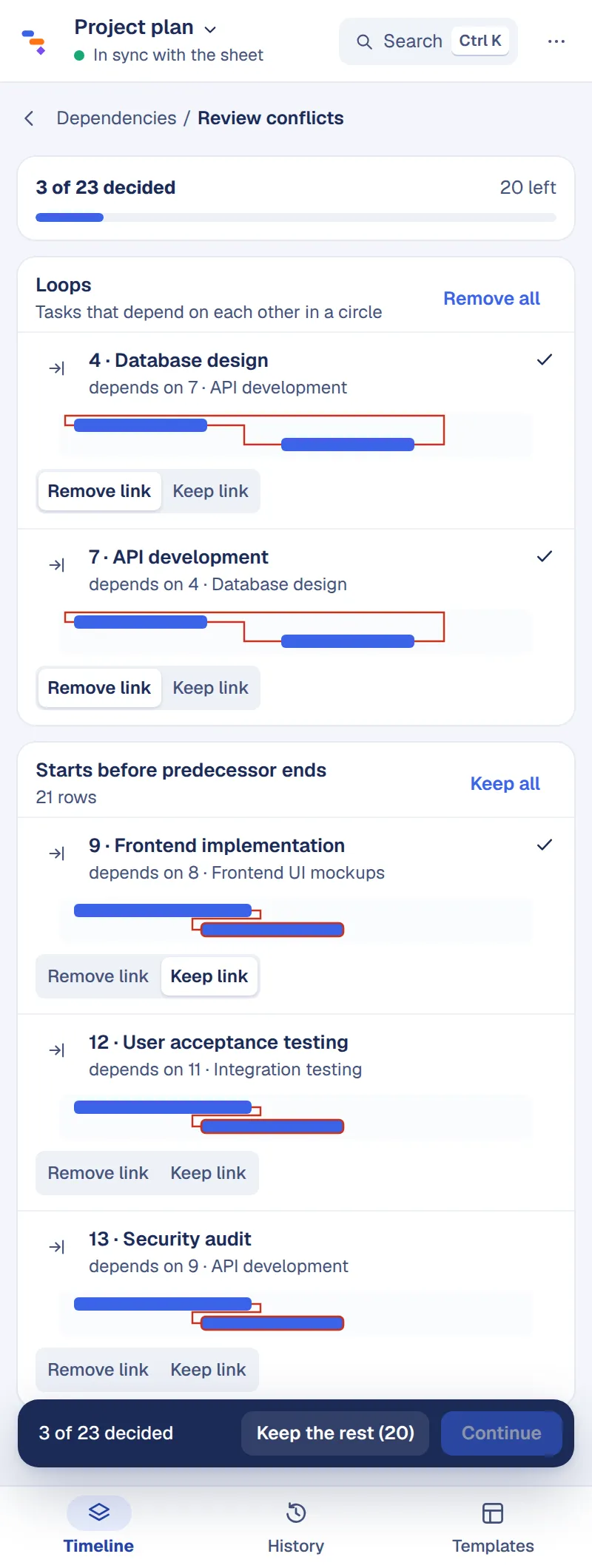
When a predecessor moves, choose whether successors follow automatically or wait for you. Either way you see exactly which links are in trouble and decide them one by one, or keep the rest in a click.
- Link tasks by the IDs in your ID or WBS column
- Loops and out-of-order links listed, and previewed on the sheet
- Reschedule all, or keep the gap between tasks
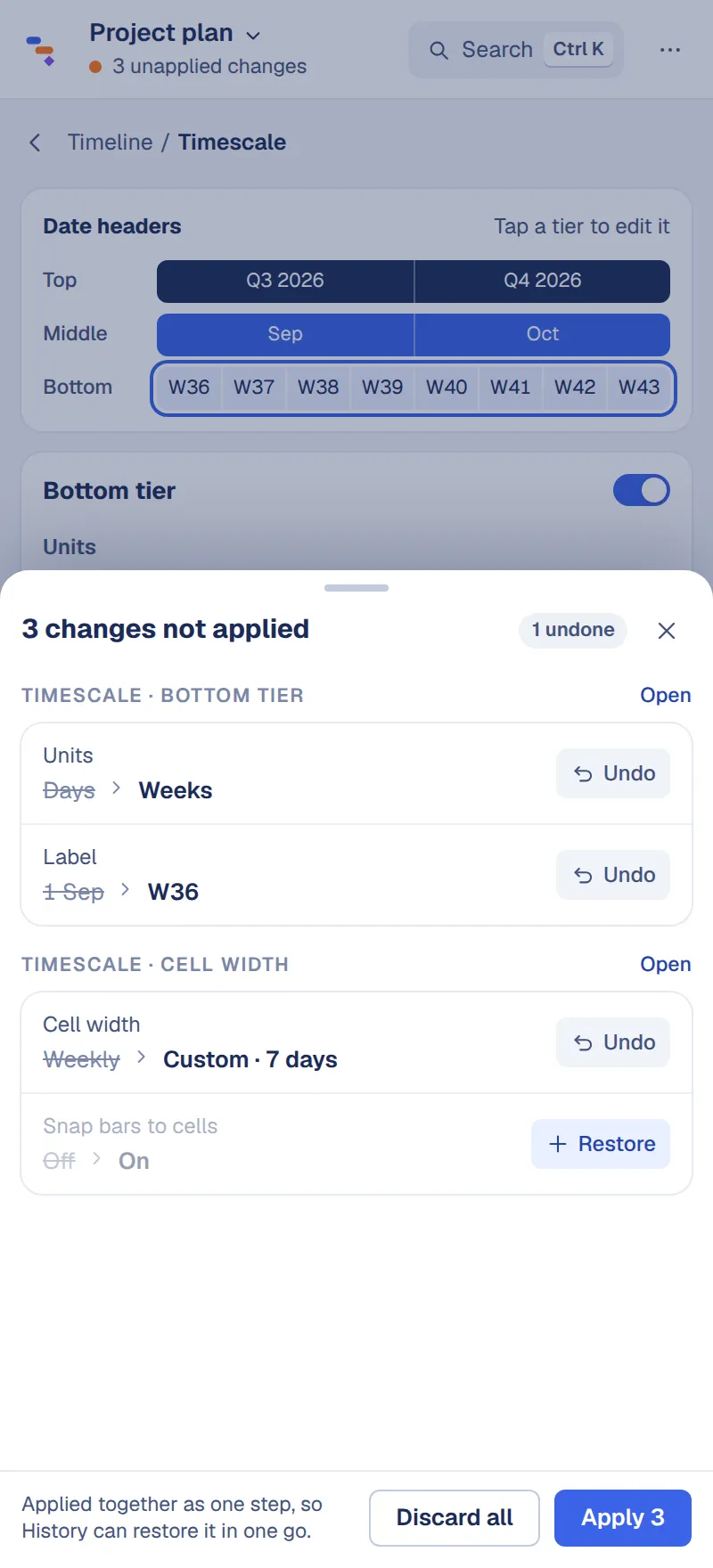
Nothing is written until you say so
Edits collect in a capsule at the bottom of the pane. Review them as old → new, undo the ones you don’t want, then apply them all as one step that History can take back.
- Review · Discard · Apply, on every screen
- One History step per apply
- Discard asks first, so nothing is lost by accident
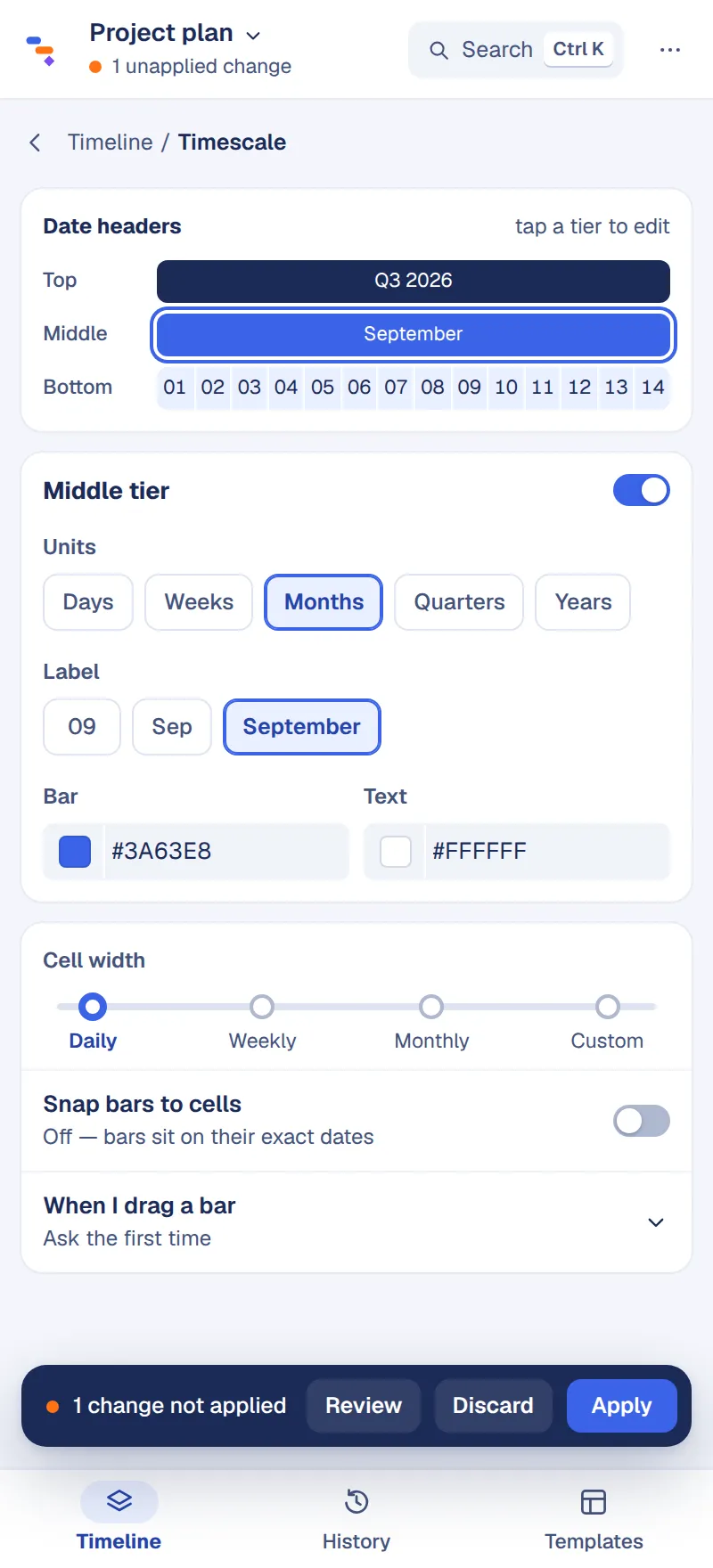
Tap the header to change it
The date headers are the control. Tap a tier to change its units, labels and colours; slide the cell width from daily to custom. Weekends, holidays and your fiscal year are one screen away.
- Quarters, months, weeks, days — or FY quarters
- Snap bars to cells, or place them on exact dates
- Non-working days shaded
Your workbook is the database
Chronolane runs inside Excel. The timeline, its settings and its history are stored in the file itself.
Your content stays in the file
Task names, dates and cell values are read by the add-in in Excel and never sent to us.
No account needed
Chronolane doesn’t ask you to sign in. It sends usage events and error reports under a random ID — never cell contents, task names or file names.
Share the file, share the timeline
Send the workbook to a colleague and everything travels with it — no accounts, links or exports needed to view it.
The details are in our privacy policy.
Start from a sheet that already works
Each template is a real table with sample data — and, for all but the budget, a finished timeline — added to your workbook as a new sheet.
- Sprint Backlog
- Infrastructure Cutover Plan
- Regulatory Compliance Project Plan
- Project Schedule
- Basic Project Budget
- Work Breakdown Structure
- RAID Log
Frequently asked
Which versions of Excel does it work with?
Excel for Microsoft 365 on Windows and Mac, and Excel for the web. It’s installed from Microsoft AppSource or your organisation’s add-in catalogue, so there’s nothing to download.
Does my data get uploaded anywhere?
No. The add-in reads your sheet inside Excel and draws the timeline there; cell contents, task names and file names are never sent to us. What we do receive is usage events and error reports under a random ID — the privacy policylists exactly what.
What happens if someone opens the file without Chronolane?
They see the timeline exactly as drawn — it’s made of cells and shapes. They just can’t edit it with the pane until they install the add-in.
Can I undo a change?
Yes. Every apply is one step in History, and a snapshot is taken before anything big. Restore any of them, or keep the ones you want to come back to.
Does it handle dependencies and working days?
Yes. Link tasks from any column, choose how successors move, and set working days, holidays and your fiscal year start.
Is it free?
Yes. Chronolane is free to install and use, and there’s no account to create.
Add Chronolane to Excel
Install from AppSource, open any sheet with dates, and you’ll have a timeline in under a minute.